# Motion control software
# 360° product photography with rotary stage RSB1
#### About
#### Software
- Source code on [GitHub](https://github.com/Kurokesu/RSB1_360_product_photography)
- Windows releases also on [GitHub](https://github.com/Kurokesu/RSB1_360_product_photography/releases)
Motion controller comes with control firmware suitable for running small CNC machines, g-code commands are clear and more than suitable software protocol. While g-code can be written in plain text by hand and already available g-code senders can be used, it is much nicer to have dedicated software. Main window is designed to be minimalistic to hide irrelevant information.
[](https://wiki.kurokesu.com/uploads/images/gallery/2020-08/rsb1_main_window.png)
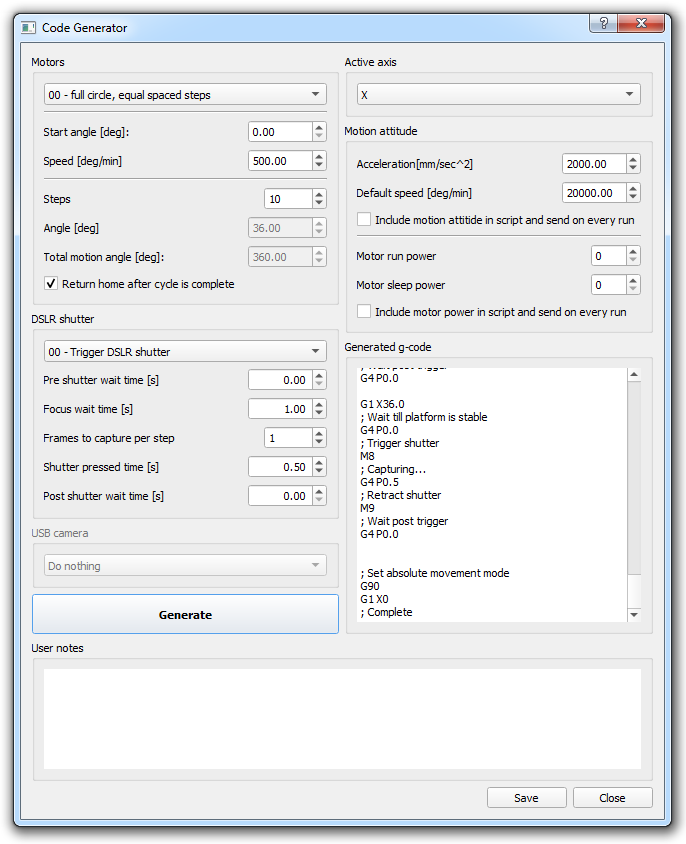
At the same time script processor is very flexible and allows selection from many modes and multiple parameters. Once script/recipe is fine tuned it can be saved for later use.
[](https://wiki.kurokesu.com/uploads/images/gallery/2020-08/rsb1_generate.png)
#### Running on Windows
There are two ways to run program on Windows:
- Download binary package and run without installing extra programs to your computer - just download latest release from [GitHub](https://github.com/Kurokesu/RSB1_360_product_photography/releases) and run it.
- Install Python and run program directly from sources on [GitHub](https://github.com/Kurokesu/RSB1_360_product_photography)
- Go [python.org](https://www.python.org/downloads/mac-osx/) and download latest stable release (tested with 3.8.5)
- Install downloaded python
- Go to terminal (launchpad -> terminal)
- Download pip installer - type: `curl https://bootstrap.pypa.io/get-pip.py -o get-pip.py`
- Install pip: `python3 get-pip.py`
- Install required packages:
- `pip3 install pyqt5`
- `pip3 install numpy`
- `pip3 install serial`
- `pip3 install pyserial`
- Install git - just type `git` in terminal and OS will prompt you to install automagically
- Download latest script: `git clone https://github.com/Kurokesu/RSB1_360_product_photography.git`
- Change to downloaded script directory: `cd RSB1_360_product_photography`
- And run script: `python3 main.py`
Demonstration page is [here](https://kurokesu.com/uploads/totoro360_demo/)
# DOF stacking with LSA1 linear rail
TBD