# Quick start guide

#### First motor moves

Assume axis has proper configuration sent earlier, making moves is as easy as entering command

In terminal bottom field type `G0 X10` and press `Enter`

[![terminal_1.png](https://wiki.kurokesu.com/uploads/images/gallery/2020-09/scaled-1680-/terminal_1.png)](https://wiki.kurokesu.com/uploads/images/gallery/2020-09/terminal_1.png)

If linear actuator is connected it should move at **default max speed** by 10mm (rotary actuator should turn 10deg).

In order to move at different speeds G1 command should be used. For example `G1 Y10 F100`

List of supported G-code commands:

- **G0, G1:** Linear Motions
- **G2, G3:** Arc and Helical Motions
- **G4:** Dwell
- **G10 L2, G10 L20:** Set Work Coordinate Offsets
- **G17, G18, G19:** Plane Selection
- **G20, G21:** Units
- **G28, G30:** Go to Pre-Defined Position
- **G28.1, G30.1:** Set Pre-Defined Position
- **G38.2:** Probing
- **G38.3, G38.4, G38.5:** Probing
- **G40:** Cutter Radius Compensation Modes OFF (Only)
- **G43.1, G49:** Dynamic Tool Length Offsets
- **G53:** Move in Absolute Coordinates
- **G54, G55, G56, G57, G58, G59:** Work Coordinate Systems
- **G61:** Path Control Modes
- **G80:** Motion Mode Cancel
- **G90, G91:** Distance Modes
- **G91.1:** Arc IJK Distance Modes
- **G92:** Coordinate Offset
- **G92.1:** Clear Coordinate System Offsets
- **G93, G94:** Feedrate Modes
- **G100, G101:** TMC2300 register read/write
- **M0, M2, M30:** Program Pause and End
- **M3, M4, M5:** Spindle Control
- **M7**\* **, M8, M9:** Coolant Control
- **M56**\* **:** Parking Motion Override Control

<p class="callout info">Controller is shipped with X axis configured for RSB1 and X axis configured for LSA1 (0.635mm version)</p>

#### Configuration

In order for controller to function correctly pulse count per revolution, acceleration and optionally motion limits has to be specified. In order to read configuration type `$$` and press `Enter`.

<p class="callout info">Recommended values for [LSA1 actuator](https://wiki.kurokesu.com/books/lsa1/page/grbl-motion-settings) and [RSB1 actuator](https://wiki.kurokesu.com/books/rsb1/page/grbl-motion-settings)</p>

##### Read configuration parameters

All internal configuration parameters will be printed out. For example:

```shell
$0=6
$1=255
$2=0
$3=31
$4=1
$5=0
$6=0
$10=19
$11=0.010
$12=0.002
$13=0
$20=0
$21=0
$22=1
$23=15
$24=50.000
$25=200.000
$26=250
$27=5.000
$30=1000
$31=0
$32=0
$100=111.110
$101=1007.874
$102=17.778
$103=1536.000
$110=20000.000
$111=2500.000
$112=500000.000
$113=20000.000
$120=2000.000
$121=300.000
$122=40000.000
$123=1000.000
$130=360.000
$131=90.000
$132=360.000
$133=360.000
```

Detailed explanation can be found on [GRBL documentation](https://github.com/gnea/grbl/wiki/Grbl-v1.1-Configuration)

##### Write configuration parameters

Writing specific value is as easy as typing `$100=1000` and pressing `Enter` If number is valid, this command will overwrite existing value and save to EEPROM.

#### Control software

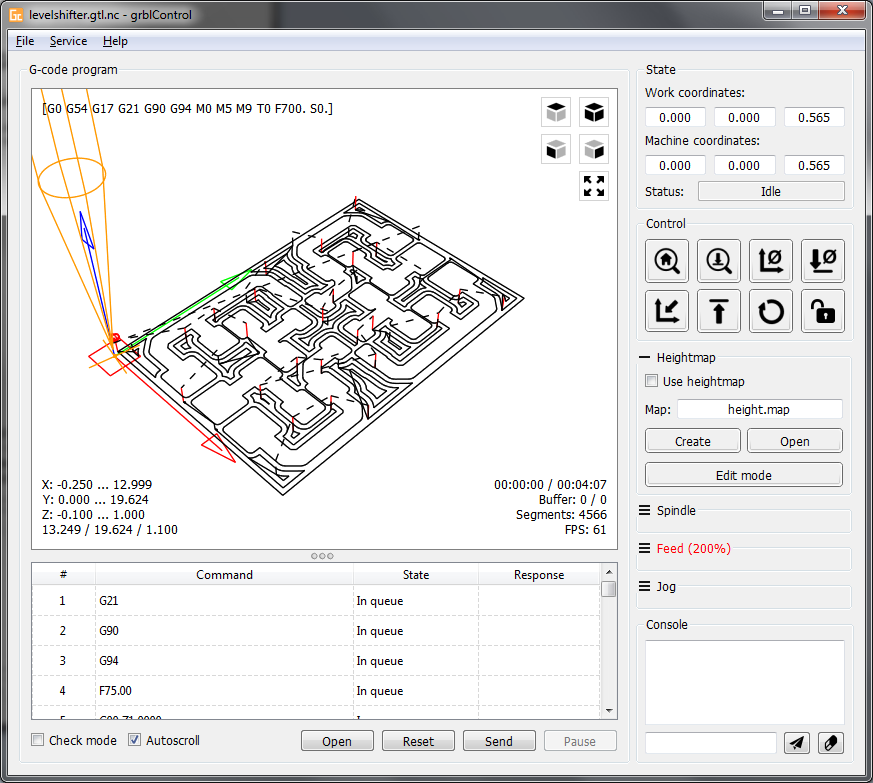
There are number of software packages suited to control CNC machines. Comprehensive list is maintained by [GRBL developers on GitHub](https://github.com/gnea/grbl/wiki/Using-Grbl). Our favorite is [**Candle** by Denvi](https://github.com/Denvi/Candle)

[![screenshot_heightmap_original.png](https://wiki.kurokesu.com/uploads/images/gallery/2020-09/scaled-1680-/screenshot_heightmap_original.png)](https://wiki.kurokesu.com/uploads/images/gallery/2020-09/screenshot_heightmap_original.png)